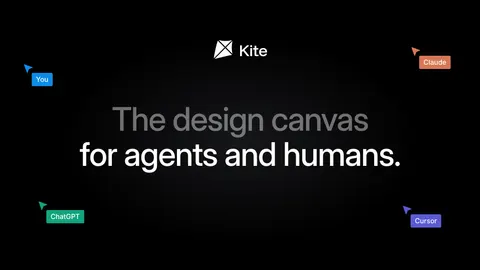
Design canvas where your own AI agents and your team edit the same file
ToolSift score7/10
Why 7/10: Plus points: Kite does one clear thing, and its own pages explain it well. It runs no AI model of its own for designing: you connect the agent you already use (Claude, ChatGPT, Cursor or any MCP client) through a hosted MCP server, and it works in the same file as you, reading your design system's variables, components and written 'skills' before it draws. Pricing is published and simple: a usable free plan, and Pro at $20 per editor a month with no AI credits to buy. The changelog shows steady, detailed updates, the latest on 13 Nov 2026 (recorded walkthroughs, voice notes on comments, more agents in the desktop app). Figma frames paste in and out both ways. The privacy policy is plain-English and names its service providers. Minus points: the site doesn't name a company or an address; the about page is signed 'The Kite team' and the founder appears only by first name. The kite.new domain was registered in January 2026 (per RDAP), and we found no independent reviews yet. The terms are short and say the service is 'as is' with no uptime promise, and the free plan is capped at 3 files and 100 agent actions a day. This is an editorial assessment from Kite's own pages and public records; we didn't sign up or connect an agent.
By ToolSift editorial. Last checked . Prices change often; "check site" means verify with the vendor.
What it does
What it does: a shared design canvas (web and Mac app) where people and connected AI agents edit the same file: screens, sites, brand assets and design systems.
Bring your own agent: Claude, ChatGPT, Cursor or any MCP client connects to Kite's hosted MCP server. Kite runs no design model itself, so there are no AI credits; the agent runs on your existing plan.
Design systems: variables with light and dark modes, components with variants, and plain-language 'skills' that agents read before drawing, so their work follows your brand.
Works with Figma and Chrome: paste Figma frames in as editable layers and copy frames back to Figma; paste a web page from Chrome as layers.
Recent updates (changelog, 13 Nov 2026): recorded walkthroughs that agents can read, voice notes on comments, and more agents (including Cursor, Copilot and Gemini CLI) in the desktop app's Agent tab.
Our verdict
Kite is a design canvas built for working alongside AI agents. You design screens, sites and brand assets in the browser or the Mac app, and connect the agent you already pay for, such as Claude, ChatGPT or Cursor, through Kite's hosted MCP server. The agent then works on the same board as you: it reads your colours, type and spacing as variables, places your components instead of redrawing them, follows written rules ('skills') for your brand, and takes requests from comments. You can paste Figma frames in, copy frames back to Figma, and paste web pages from Chrome as layers. Because Kite charges for people, not AI, there are no credits to buy; your agent's usage comes out of your own AI plan. It's a sensible fit for small teams already using a coding agent who want it to produce on-brand design, not just describe it. The catches are a young product from an unnamed operator, short terms with no uptime promise, and no outside reviews yet, so keep your own copies of anything important.
✅ Pick it if You already pay for Claude, ChatGPT or Cursor and want your agent to design screens and assets in your own design system, on a canvas your team can edit and comment on too.
⛔ Skip it if You need an established design platform with uptime commitments and a named company behind it, or you don't use an AI agent and just want a standard design tool.
Pricing:As of 23 Nov 2026, per Kite's pricing page (US dollars). Free: $0, unlimited editors and viewers, 1 workspace with 3 files and 3 design systems, 100 agent actions a day. Pro: ≈ £14.92 ($20 listed)$20 (≈ £14.92) per editor a month, or ≈ £11.94 ($16 listed)$16 (≈ £11.94) a month billed yearly; unlimited files, workspaces and agent actions, version history. Team: ≈ £26.12 ($35 listed)$35 (≈ £26.12) per editor a month, or ≈ £20.89 ($28 listed)$28 (≈ £20.89) billed yearly; adds SSO and SAML, admin controls, custom contracts and dedicated support (contact hello@kite.new). No AI credits on any plan; viewers are free. Prices are estimates converted from the provider's listed price on 2026-10-21; check the provider's site for current pricing.
Not stated as a company. Kite's about page is a manifesto signed 'The Kite team', and the privacy policy says chat support is answered by Kite's AI assistant or by Loukman, the founder, under his own name; no company name or address appears on the home, about, pricing, terms or privacy pages. The kite.new domain was registered on 13 Jan 2026 (per RDAP). The privacy policy lists Cloudflare, Supabase, Resend, PostHog, Sentry and Stripe among its service providers. Kite's FAQ notes it is not the same company as kite.ai. Free submission received 11 Nov 2026 via the ToolSift submit form from the founder's kite.new address. Not sponsored.
What to watch
Unnamed operator: no company name or address on the site, which makes it harder to know who you're contracting with.
Young product: the domain dates from January 2026 and we found no independent reviews or user feedback yet.
Short terms: the service is provided 'as is' with no uptime guarantee or promise that files are never lost; the terms themselves tell you to keep your own copies.
Free plan limits: 3 files and 100 agent actions a day, so regular use means Pro at $20 per editor a month.
Your agent's costs are separate: Kite charges no AI credits, but the agent's work counts against your own Claude, ChatGPT or Cursor plan.
Not reviewed hands-on: we didn't sign up or connect an agent, so drawing quality and reliability are unverified.