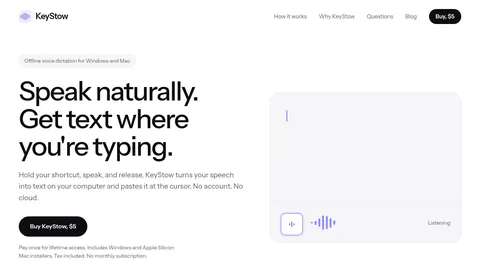
Offline push-to-talk voice dictation for Windows and Macs (Apple Silicon and Intel, macOS 14 or later): hold a key, speak, and the text is pasted at your cursor
ToolSift score5/10
Why 5/10: Plus points: speech is processed on your own computer with no account and no cloud service, it works offline, it says it keeps no audio or transcript history, the price is a single $5 payment rather than a subscription, and the source code is public on GitHub under the MIT licence. Minus points: it is days old (the code repository dates from 17 Nov 2026) and no person or company is named, all sales are final with no refunds, it understands English only, the Mac app is not notarised by Apple so macOS blocks the first launch until you allow it (since v1.0.8 it keeps a lasting signing identity, so the Accessibility permission can survive later updates), and although the Mac app is a universal build for Apple Silicon and Intel on macOS 14 or later, the Intel build has not been tried by hand. This is an editorial assessment from KeyStow's own site and README; we didn't install it.
By ToolSift editorial. Last checked . Prices change often; "check site" means verify with the vendor.
What it does
What it does: hold a key, speak, release, and the text is pasted where you're typing.
Private: speech is processed on your computer; no account, works offline.
Pay once: $5 for the Windows and Mac installers (the Mac app is universal for Apple Silicon and Intel); the source is MIT-licensed.
Our verdict
KeyStow is a small dictation app: put your cursor in any text field, hold your shortcut (Right Ctrl on Windows, Right Option on a Mac by default), speak, and release, and your words are transcribed on your computer and pasted at the cursor. Nothing is sent to the cloud and it works without internet. A base speech model ships inside the app and larger ones download once if you pick them. It's a lean, privacy-friendly alternative to subscription dictation services, best for English speakers who are comfortable with a very new app from an unnamed developer. Version 1.0.8 (25 Nov 2026) makes Windows pasting more careful: it only pastes into the window that was in front when you let go, never pastes an older dictation, and keeps dictated text out of Windows clipboard history.
✅ Pick it if You want simple English voice typing that stays on your own computer, without an account or a monthly plan.
⛔ Skip it if You need other languages, Linux, a Mac older than macOS 14, a refund option, or an app from a named, established developer. The Mac app is universal, but the Intel build has not been tried by hand.
Pricing:As of 28 Nov 2026, per KeyStow's own site (US dollars): ≈ £3.73 ($5 listed)$5 (≈ £3.73) once for lifetime access to the ready-to-install app, including the Windows installer and a universal Mac app for Apple Silicon and Intel on macOS 14 or later, tax included, paid through Dodo Payments. No subscription. All sales are final, with no refunds. The source code is published on GitHub under the MIT licence. Check KeyStow's site for the current price. Prices are estimates converted from the provider's listed price on 2026-10-21; check the provider's site for current pricing.
Very new: the code repository was created on 17 Nov 2026 and no person or company is named.
No refunds: all sales are final, so check it suits your computer (64-bit Windows 10 or 11, or a Mac with Apple Silicon or Intel on macOS 14 or later; the Intel Mac build has not been tried by hand) before buying.
On a Mac the app still isn't notarised by Apple, so you have to allow the first launch in Privacy & Security. Since v1.0.8 (25 Nov 2026) it is signed with KeyStow's own certificate, so after you allow Accessibility once more for that update, macOS can keep the permission for later updates. The Windows installer is unsigned.
English only for now; transcription can be wrong, so read the text before you send it.
Not reviewed hands-on: we didn't install it, so dictation accuracy is unverified.